Animation
rich-gradient provides animated variants of its core renderables for live terminal demos. They build on rich.live.Live to refresh the console at a steady frame rate while shifting the gradient phase.
AnimatedGradient
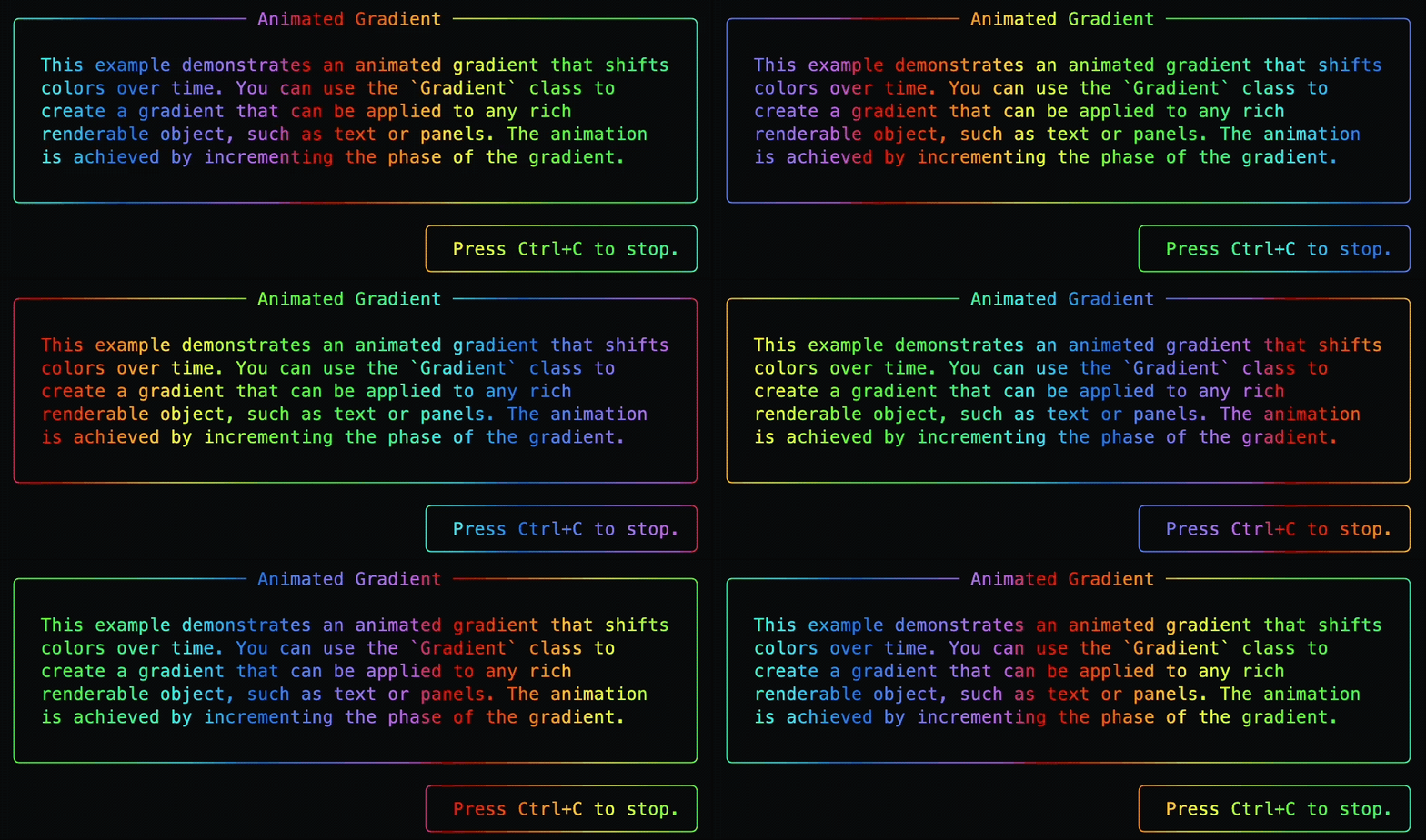
from rich.console import Console
from rich.markdown import Markdown
from rich_gradient.animated_gradient import AnimatedGradient

console = Console()
markdown = Markdown(
    "[b]Animated gradients[/b]\n\n"
    "- Run as a context manager\n"
    "- Or control start/stop manually\n"
)

with AnimatedGradient(
    markdown,
    rainbow=True,
    console=console,
) as gradient:
    console.input("[dim]Press Enter to stop...[/dim]")
Key parameters:
refresh_per_second: desired frame rate for theLiverender loop.repeat_scale: stretch the palette across a wider span before repeating.highlight_words/highlight_regex: identical to the staticGradient.duration: optional automatic stop time, in seconds.start(),stop(),run(): manual control when you want to integrate with custom event loops.- Defaults honour the global configuration; see Configuration for details.
When duration is set, AnimatedGradient stops itself once the deadline is
reached and clears its internal running state. You can call start() again on
the same instance after a duration-limited run finishes.
AnimatedText
AnimatedText gives you the same gradient animation on top of Rich Text, with a helper to
swap content while the animation is running.
from time import sleep
from rich_gradient.animated_text import AnimatedText

animated = AnimatedText("Loading...", rainbow=True)

with animated:
    sleep(1)
    animated.update_text("Almost there...")
    sleep(1)
Runnable example:
AnimatedPanel
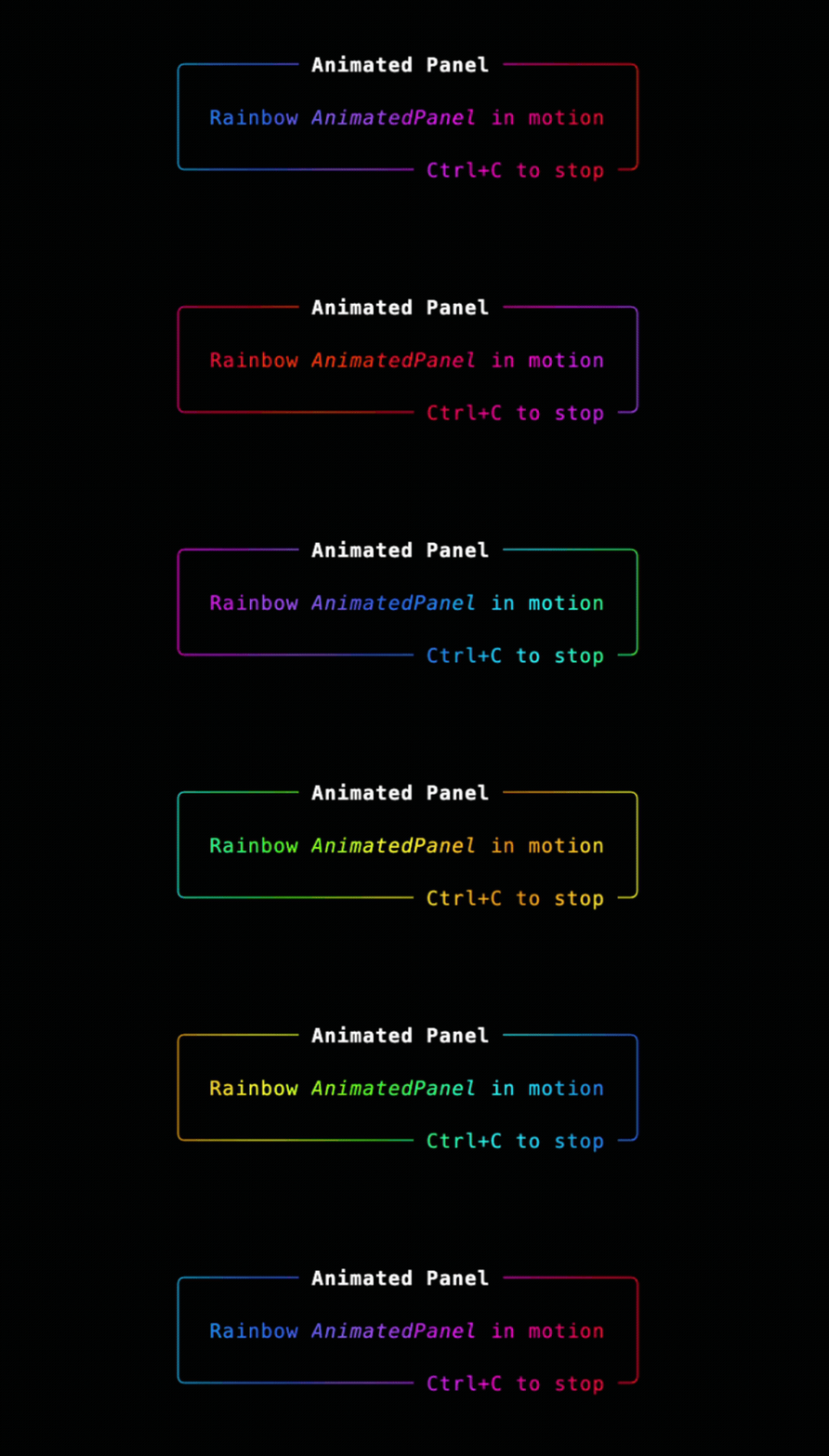
AnimatedPanel wraps the static Panel helper, so it inherits title and subtitle highlighting alongside the animation controls above.
from rich.panel import Panel as RichPanel
from rich_gradient.animated_panel import AnimatedPanel

panel = RichPanel(
    "Rainbow [i]AnimatedPanel[/i] in motion",
    title="Animated Panel",
    padding=(1, 2),
)

animated = AnimatedPanel(
    panel,
    rainbow=True,
    refresh_per_second=40,
)
try:
    animated.run()
finally:
    animated.stop()
Animated renderables forward console, expand, justify, and color configuration
to their static counterparts, making it easy to switch between live demos and static
output.
AnimatedPanel accepts the same regex highlight shapes as Gradient, including
two-item tuples like ("AnimatedPanel", "bold cyan"). Flags are optional and
default to 0.
AnimatedRule
AnimatedRule animates the same full-width rule rendering as Rule, while
using AnimatedGradient for live updates.
from time import sleep
from rich_gradient.animated_rule import AnimatedRule

rule = AnimatedRule(
    title="Deploying",
    colors=["#38bdf8", "#a855f7", "#f97316"],
    thickness=2,
    refresh_per_second=30,
)

with rule.for_duration(2):
    sleep(2)
Titles are highlighted after the gradient is applied, and the animated rule uses the
same cell-aware renderer as the static Rule for wide glyphs, combining characters,
foreground gradients, and background gradients.